The new and updated features for the 4.51 release are as follows:
Awards
|
Header
|
Business impact
|
Affected topics |
|
Award outcomes sorting
|
The Status Code has been added to the underlying view used in Award Outcomes. This can be configured onto the grid to allow alphabetical sorting of status codes, as the editable status drop-down sorts by ID.
|
Not applicable
|
|
Award rules aggregate score
|
When generating an aggregate score for an award in Awards Manager, if there are 2 rules defined for achieving the same result (e.g. a 1st may be obtained either from a combination of Level 5 and 6 courses, or Level 6 courses only) the aggregate score is set based on the rule that would give the highest score.
|
Not applicable
|
|
SP1 New award rules
|
Two new award rule functions have been introduced to Awards Manager to support the consideration of aggregate scores that have been gained on Failed modules.
-
IsFailedValue
-
IsCreditValue
|
Example rule conditions
|
Curriculum
|
Header
|
Business impact
|
Affected topics |
|
Use Child Fees field is now added on UIOs > Summary tab
|
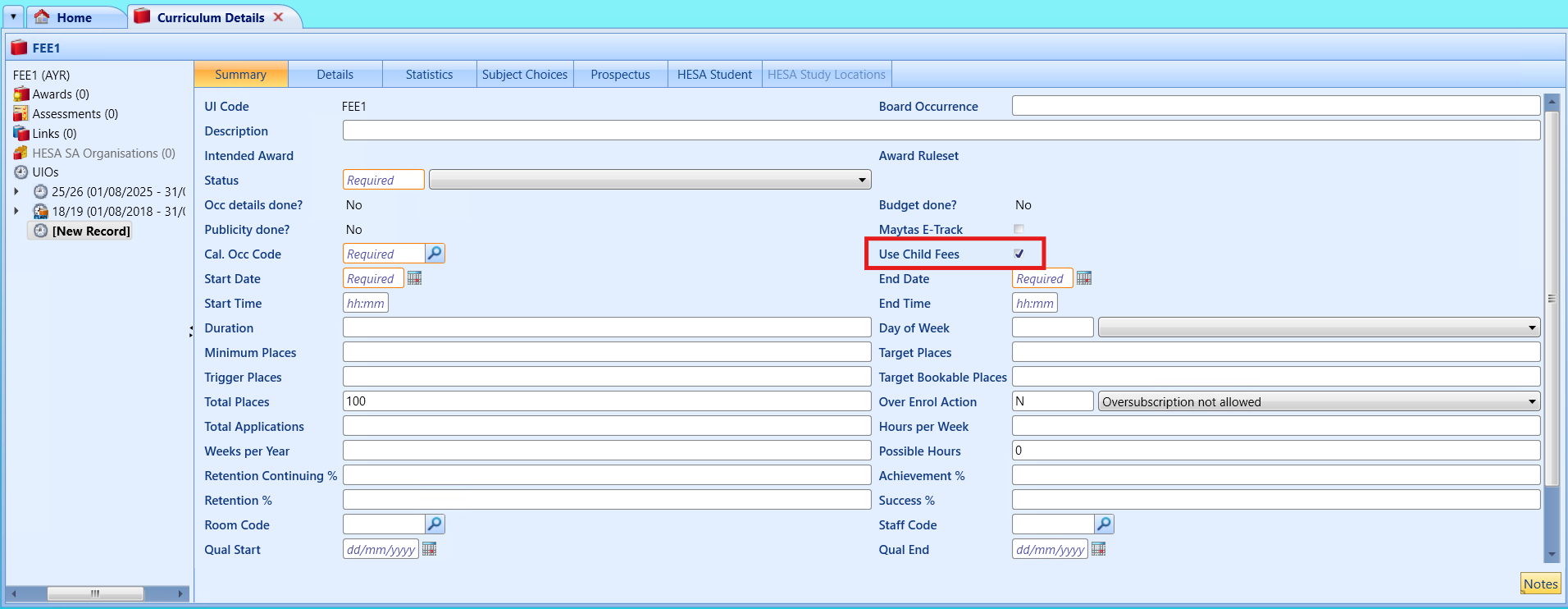
A new indicator, Use Child Fees, has been added to the curriculum screen and lets you control if mandatory child fees are applied at enrolment.
This gives you more flexibility when managing curriculum structures, without needing to create separate versions for different learner fee scenarios, as shown in the image below.
|
UIO details
Use child fees
|
|
Addition of Use Child Fees column in Curriculum Grid
|
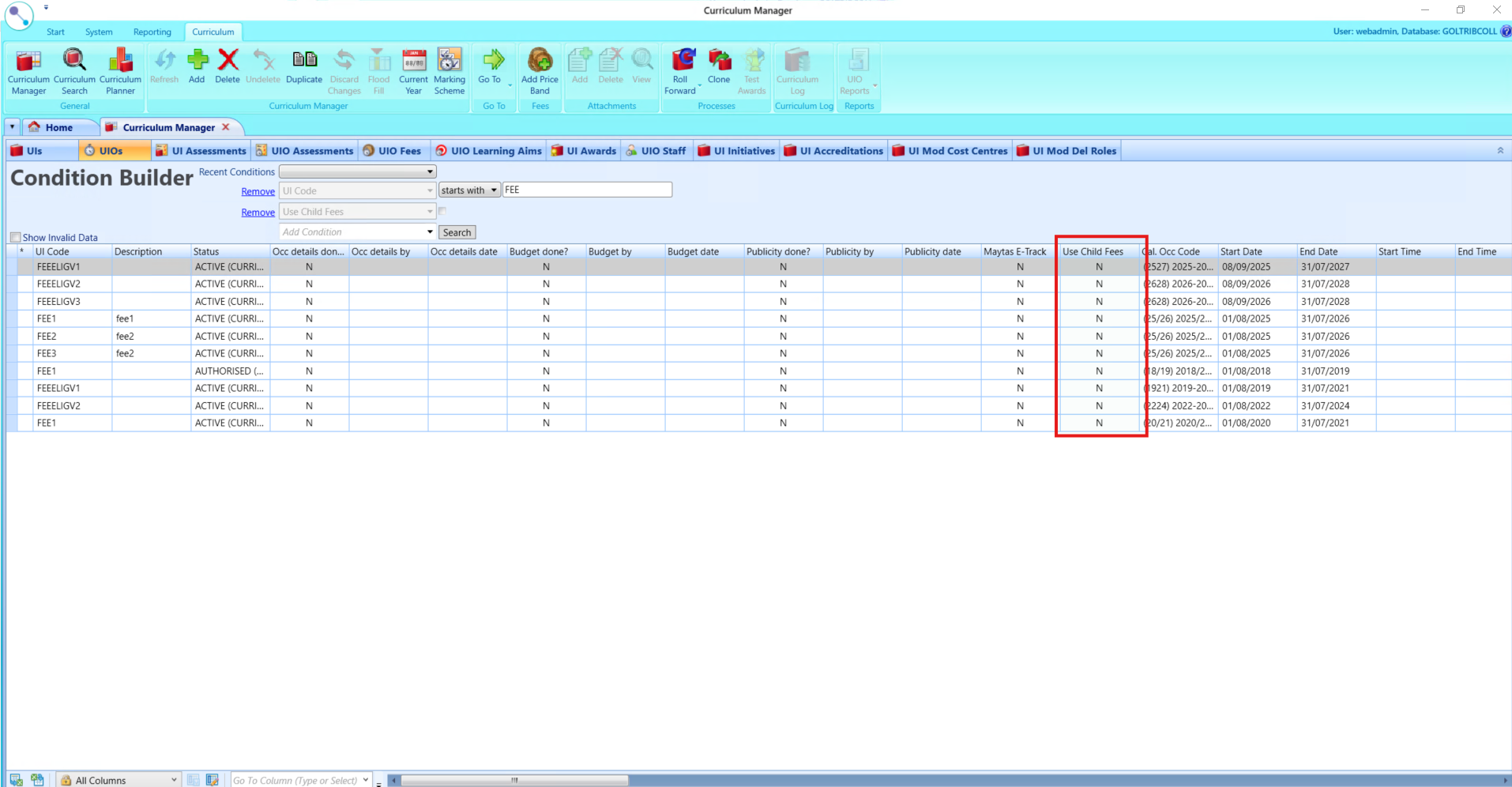
A Use Child Fees column has been added to the Curriculum Grid beside the existing Maytas E-Track column, as shown in the image below.
Note the following for Use Child Fees:
-
The field is included in the available filter conditions and user can filter records based on the value of the field.
-
Staff can modify the value of the field directly within the grid.
-
When a new record is added to the grid, the field is automatically populated with the default value Y.
-
The column supports flood fill functionality.
|
Not applicable
|
| Funding Model 33 v3, 34 v2 |
A new workflow for funding models 33 v3 and 34 v2 are visible in Workflow Manager upon successful import of the funding model package. Funding Model parameters for funding year 33 and 34 are available as well with the updated funding rates.
|
Not applicable
|
NZ Enrolments
|
Header
|
Business impact
|
Affected topics |
|
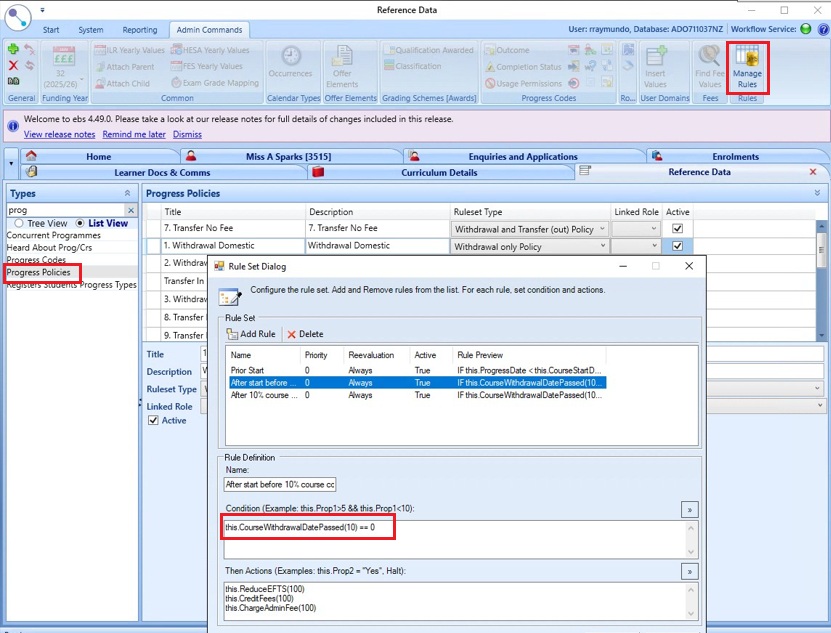
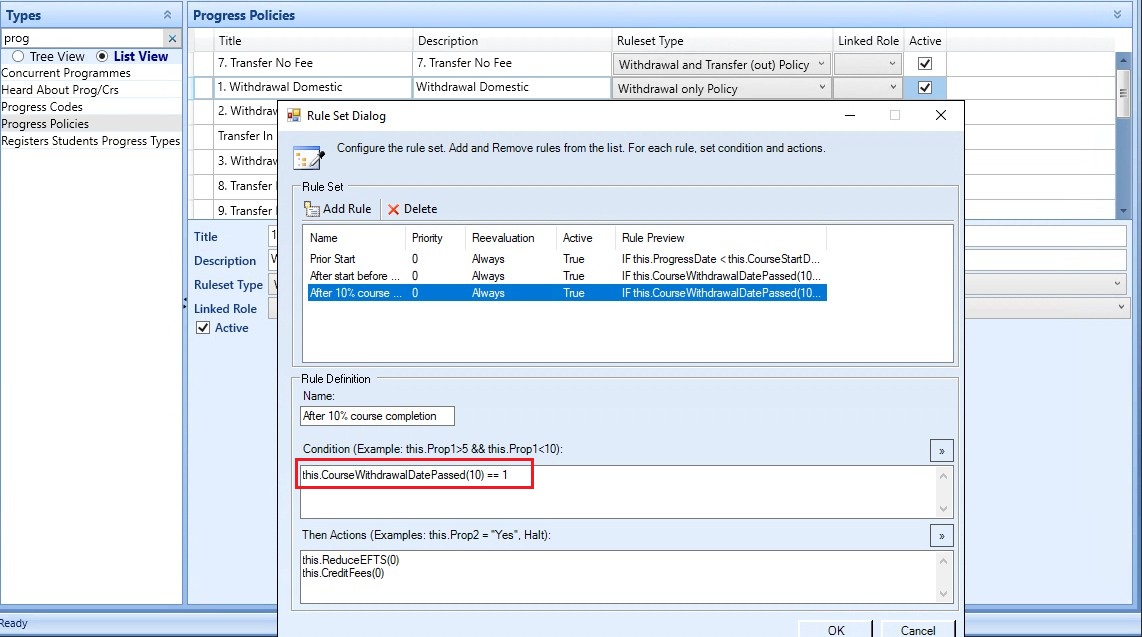
SP1 Manage Rules for progress policies to support regulatory requirements
|
Configure the rules for Progress Policy using the new function CourseWithdrawalDatePassed. As shown in the images below.
|
Not applicable
|
Institution settings
|
Header
|
Business impact
|
Affected topics |
|
ILP Tutor: Add 'Enable Learner Search' institution setting
|
A new institution setting, Enable Learner Search in ILP Tutor, lets you choose how learners are displayed:
-
When set to Y (default), staff can use the Learner Search button in My Learners.
-
When set to N, the Learner Search button is hidden and staff only see learners they are already linked with.
Changes take effect immediately. Staff may need to refresh their session, and you should let staff know if learner search is switched off.
This change helps reduce the risk of accidental exposure of learner lists, supports data‑access policies, and removes unnecessary search options when they are not required.
|
ILP institution settings
|
|
EBS Authentication - Restrict common passwords
|
To improve security the institution setting Restrict common passwords has been set to Yes by default.
This only applies to users authenticating with EBS Authentication
|
Not applicable
|
|
Usage stats on by default
|
The Usage stats - collect data and send email setting has been set to on by default to help Tribal get a more complete picture of the customer usage of EBS.
|
Not applicable
|
Reference data
|
Header
|
Business impact
|
Affected topics |
|
SCO Include in SQA option for progress codes
|
A new Include in SQA column has been added to the Progress Codes reference data screen when the Student Status filter is set to Enrolment.
Note that this change means that the SQA registration creation and verification no longer rely on fixed progress codes such as Active or Finished.
Instead, the process now uses the Include in SQA setting on progress codes. Only learners who are enrolled on SQA courses and have a progress code where Include in SQA is selected are included in SQA registration processing. |
Progress codes
|
|
Removed obsolete fields from special defaults
|
The Special Defaults screen in reference data has been updated. The following fields are no longer visible to users:
-
Funding Source 2
-
Delivery Mode
-
Main Delivery Method
-
Employer Role
-
Broker Contract Number
|
Special defaults
|
Workflow
|
Header
|
Business impact
|
Affected topics |
|
GetInstitutionSetting workflow activity updated to supported encrypted settings
|
The GetInstitutionSetting workflow activity has been updated to return encrypted institution settings as plain text. This avoids needing to use a SQLQueryActivity workflow activity to retrieve the value of an encrypted setting.
|
Not applicable
|